


Caller Id & Block Spam SMS
3.64.00 Reviews
App Specs
- Version
- 1.1
- Updated On
- License
- Free
- Downloads
- 50,000+
- Developer
- Code Cookies
- Categories
- Communication
- Platform
- Android
Screenshots
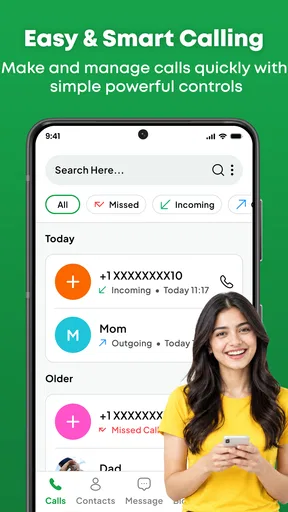
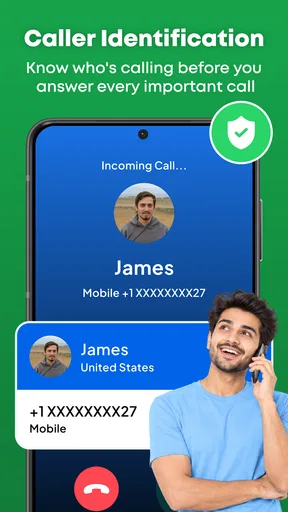
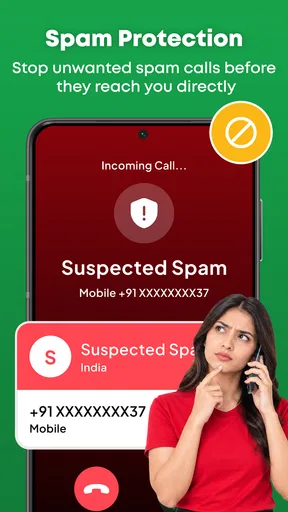
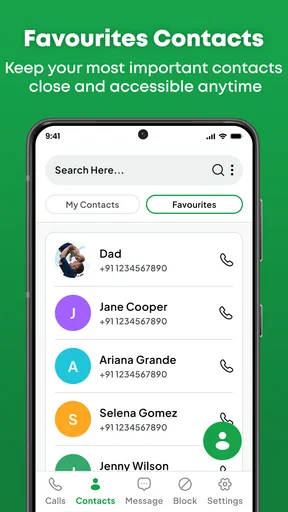
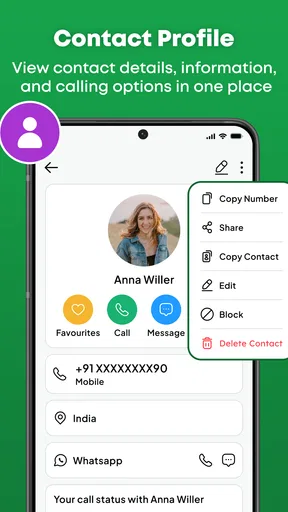
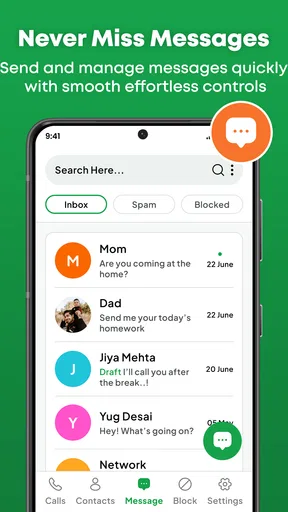
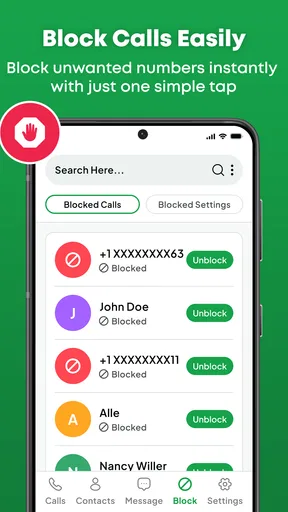
 Analysis by AppCompare
I would install Caller Id when nuisance calls have become a daily interruption, but I would judge it by what happens after the first burst of blocked numbers. Spam protection is only useful if it fits into the way I handle ordinary calls: a delivery driver, a new contact, or a business I actually need should not become harder to reach. This communication app from Code Cookies is aimed at that practical problem, with caller identification and tools for dealing with unwanted calls and messages. Its appeal is straightforward; the more important question is whether using it remains worthwhile once the novelty wears off.
Where a careful first-week trial helps
I would treat the first week as a chance to learn how the app fits my routine, not as a test of whether every unfamiliar number can be identified. I would keep my usual call habits, note when the app helps me make a decision, and avoid blocking people just because I do not recognize a number. That makes it easier to tell whether it adds useful context or simply adds another place to check.
A useful early test is to compare what happens when a suspicious call comes in with what I would normally do using the phone’s own controls. If the dedicated tool makes it easier to handle a real nuisance, that is meaningful. If I still need to look up every caller elsewhere, or the app does not change how I manage interruptions, I would be cautious about assuming that installing it alone has solved anything.
From first-week relief to a lasting habit
I’d use this section to judge the app by the routine it supports, not by how satisfying the first blocked call feels. A practical test is whether I can make a quick, confident choice when an unfamiliar number appears without turning every interruption into an investigation. From there, the next section looks at what makes that routine worth keeping over time.
What feels useful at the start
In the first few days, the value of a caller ID and spam-blocking app is easy to understand. An unfamiliar number appears, and instead of answering automatically or repeatedly checking it later, I can make a more deliberate choice. If the number is unwanted, blocking it can help prevent the same interruption from becoming part of my routine. The app’s focus on both calls and messages also matters: unwanted contact does not always arrive through one channel alone.
A realistic use case is a busy morning when I am expecting a call about an appointment but also getting repeated calls from numbers I do not recognize. I still need to be cautious rather than treating every unknown caller as spam. Caller identification can inform that decision, while blocking is most useful when I have a good reason to stop a number from reaching me. That distinction is important: the app can support judgment, but it should not replace it.
The most useful habit is to pause before blocking a number you might need again. If I am waiting on a callback, I would check the caller’s identity or context first, then block only when the interruption is clearly unwanted. This small bit of care helps preserve the benefit of filtering without turning missed calls into a new problem.
Worth Reading Before You Choose

EA SPORTS FC Mobile 26 Is a Bigger Football Game, but It Takes Time

Flipboard Shows What News Apps Must Do Beyond the Feed

Switching to Android Auto Means Rethinking Your Driving Routine

Google Calendar Makes a Crowded Week Easier to Manage

Ludo King Makes the Most of the Minutes Between Plans

Baby Panda World Brings Quick Play to Modern Phones, but Its Game Library Feels Busy
How it compares with the built-in option
Most phones already offer ways to silence, reject, or block calls, so a separate app has to earn its place. The advantage of a dedicated caller ID and blocking tool is its focused role: it puts unwanted calls and messages at the center of the experience rather than making me search through general phone settings. That can feel more convenient for someone who deals with this problem often.
The built-in tools may still be the better choice if I only need to block an occasional number. They are already part of the phone, and avoiding another app can mean less to manage. Caller Id makes more sense when I want a dedicated place to handle identification and unwanted contact, not when I expect it to solve every call-related annoyance automatically.
What keeps it relevant after the novelty
For lasting value, the app needs to help with a recurring task without demanding constant attention. I would use it as a light checkpoint: notice which contacts are being identified, block numbers that I have decided are unwanted, and keep an eye on whether those decisions are interfering with calls I care about. That workflow is more sustainable than repeatedly adjusting settings whenever an unfamiliar number appears.
Its broader usefulness depends on how regularly spam disrupts someone’s day. If unwanted calls and messages are a persistent annoyance, having a dedicated communication tool may justify keeping it installed. If the issue is rare, the benefit can quickly shrink, and the phone’s ordinary blocking controls may be enough. This is not an app I would keep simply because caller ID sounds useful in theory; I would keep it only if it reduces real interruptions.
Maintenance and the risk of overblocking
Spam management is not entirely hands-off. A number that looks unfamiliar is not automatically harmful, and legitimate callers do not always appear in a person’s contacts. I would avoid blocking broadly just to make the call screen quieter. Instead, I would make individual decisions and review them if an expected call fails to come through. That approach takes a little attention, but it is safer than treating every unknown number as an enemy.
There is also a practical difference between blocking one persistent caller and trying to anticipate every unwanted number. The first is a clear action based on a specific nuisance; the second can lead to a cycle of checking and changing settings. For a low-maintenance routine, I would use the app when a call or message gives me a concrete reason to act, rather than opening it repeatedly to hunt for problems.
Whether it can identify every caller is not something I would assume. I would treat identification as helpful context, not a guarantee, and keep normal caution around requests for personal or financial information. If a caller claims to represent an organization, I would use a trusted contact route to verify the claim rather than relying on a name or label alone. This is a sensible safeguard with any caller ID tool, including this one.
Practical routines that keep the tool useful
For someone who gets occasional nuisance contact, I would make the app part of a simple, event-driven routine rather than a daily inspection. When a call or message is clearly unwanted, decide whether blocking that specific number is appropriate; then leave the app alone until another real interruption gives a reason to revisit it. This limits the temptation to treat every unknown contact as a task that needs immediate investigation.
For a person who uses one phone for work and personal life, the trade-off is more delicate. A new client, temporary service provider, or time-sensitive callback may not be saved as a contact yet. I would keep that in mind before blocking during a busy stretch, and use a separate, trusted way to confirm important calls when possible. This is especially useful when waiting for an appointment or delivery: the goal is fewer distractions, not silence at any cost.
What may become tiring
The main source of fatigue is the expectation that a blocking app should make uncertainty disappear. It cannot make every unknown call self-explanatory, and a cautious user may still need to decide whether a number is safe to ignore. If I spend more time reviewing calls than I save by avoiding them, the app is not earning its place. I would also be wary of blocking in haste, because the cost of silence can be missing a legitimate callback.
Cost is another reason to think about how much value I actually get. Caller Id is free to download, with in-app purchases listed from $4.99 to $23.99 per item. I would not pay simply because I had installed it; I would first decide whether the free experience is useful in my own routine and whether any paid option addresses a problem I genuinely have. The price range is worth noting, but it does not by itself tell me what a particular purchase includes.
The app has an average rating of 3.5 from around 439 ratings, alongside 4 written reviews. I see that as a reason to approach it with measured expectations rather than as proof that it will work the same way for everyone. A person whose main need is occasional number blocking may have a different experience from someone dealing with frequent unwanted contact. In either case, I would judge it by whether it reduces disruption without creating extra work.
Who should keep it—and who should move on
I would consider keeping Caller Id if unfamiliar calls and unwanted messages are common enough to interrupt work, family time, or sleep. Its focus on both forms of contact makes it more relevant than a solution aimed at calls alone for someone whose nuisance problem spans both. It may also suit someone who prefers a dedicated tool rather than managing each number only through general phone controls.
I would skip it if my phone already handles the occasional unwanted number well, or if I need a highly hands-off system that never asks me to make a judgment. It is also not the right answer for someone who wants certainty about the identity or legitimacy of every caller. In those situations, built-in blocking or direct verification through a known contact method is a better fit.
Before installing, I would check that the phone meets its minimum operating-system requirement of version 8.0 or later. The app is rated for Everyone, is free to start, and is currently at version 1.1. It has more than 50,000 installs, which suggests that other users are trying it for the same basic communication problem, but installs alone do not tell me whether it will suit my calling habits.
My long-term verdict
Caller Id earns a lasting place only when I use it to make a recurring nuisance easier to manage—not when I expect it to remove all uncertainty from incoming calls. I like the focused combination of caller identification and blocking unwanted calls and messages, and I can see the value for someone who regularly deals with interruptions. The trade-off is that I still need to use judgment, avoid overblocking, and decide whether any purchase is worth it for my needs.
For a friend who is tired of persistent unwanted contact, I would say it is worth trying as a practical helper, then reassessing once the first-week relief has passed. If it saves attention month after month, keeping it makes sense. If I rarely use it, or its presence makes me second-guess ordinary calls, I would remove it and rely on the phone’s built-in controls instead. That is the standard I would apply to Caller Id: useful when it supports a simple, careful routine, but not essential for everyone.
Overall, I see Caller Id as a focused option for people who want a dedicated way to handle caller identification and unwanted contact. Its staying power depends less on the promise of a quieter phone than on whether it helps me make sensible choices without adding a new chore. I would keep it if that balance holds; otherwise, the simpler alternative is probably the better one.
Pros
- Identifies many incoming calls
- helping you recognize unknown numbers.
- Lets you block unwanted callers and reduce repeat interruptions.
- Spam SMS filtering can keep suspicious messages out of your main inbox.
- Call and message controls are easy to find and manage.
- Useful for screening calls without answering every unknown number.
Cons
- Caller identification may be inaccurate or unavailable for some numbers.
- Spam filtering can occasionally flag legitimate calls or messages.
- Some features may require internet access to look up unknown numbers.
- Call-blocking effectiveness can vary as spammers change their numbers.
- Access to call and SMS data may raise privacy concerns for some users.
FAQs for Caller Id & Block Spam SMS
What is Caller Id & Block Spam SMS used for?
Caller Id & Block Spam SMS is designed to help identify incoming callers and manage unwanted calls and text messages. Depending on the version and the permissions you grant, it may show caller information, flag suspected spam, and let you block selected numbers or filter messages. Its identification results can vary, so treat unfamiliar caller details as helpful clues rather than guaranteed proof of who is contacting you.
How does caller identification and spam detection work?
The app may compare incoming phone numbers or messages with information available through its own services, device features, or user reports to identify likely businesses and suspected spam. Coverage and accuracy can differ by country, number, and app version; newly created or spoofed numbers may not be recognized. Review the app’s settings and privacy information to understand what data it uses and how its identification features operate.
Does Caller Id & Block Spam SMS require special permissions?
Some features may need access to calls, contacts, or SMS, and Android may require the app to be selected as the default caller ID, spam protection, or messaging app for certain functions. iOS places stricter limits on call and message filtering, so available features can differ between platforms. Grant only permissions that make sense for the features you intend to use, and check the current store listing for requirements.
Can the app block every spam call and text message?
No spam-blocking app can guarantee that every unwanted contact will be detected. Spam callers may change numbers, disguise caller ID, or use messages that have not yet been reported, while legitimate calls can sometimes be incorrectly flagged. Check your block and filter settings, review filtered messages periodically, and use your phone’s built-in blocking tools as appropriate. Avoid relying on caller identification alone when deciding whether a message or call is trustworthy.
Is Caller Id & Block Spam SMS free, and what should I check before downloading?
Availability, pricing, advertisements, and optional subscriptions can vary by region and app version, so confirm the current details on the Google Play Store or Apple App Store before installing. Also check the developer name, recent reviews, update history, supported device requirements, and the app’s privacy disclosures. These details can help you assess whether it suits your needs and what data handling or in-app costs may apply.


